Welcome to v2! Click here to access legacy sign-in for v1 bots.
inventor.bot logo inventor.bot
Editor Marketplace Blog Pricing Downloads
Log in Get Started Dashboard
Home
Tutorials
Learn how to use the inventor.bot platform.
Ping Command Buttons Dropdowns Invite Tracking Leaderboard
Resources
Helpful resources while developing Discord bots with inventor.bot.
Helpful Resources and Services Fix Integration Requires Code Grant Commands Not Appearing Privileged Intents What are Interactions? Fix Interaction Did Not Respond Integrations Tab Find the ID of Users, Roles, Channels, and more
MCP
Setup MCP to build flows with AI.
Setup MCP
Migration
Migrate from inventor.gg to inventor.bot.
Timeline Migrating Flows invt.bot/migrate
Resources

Find the ID of Users, Roles, Channels, and more

How to find the IDs of users, roles, channels, and other entities on Discord

Updated 5/15/2026

Need to get the ID of a user, role, channel, or anything else on Discord? Here's the easiest way to do it:

Enable Developer Mode from the Developer tab of your Discord account settings.
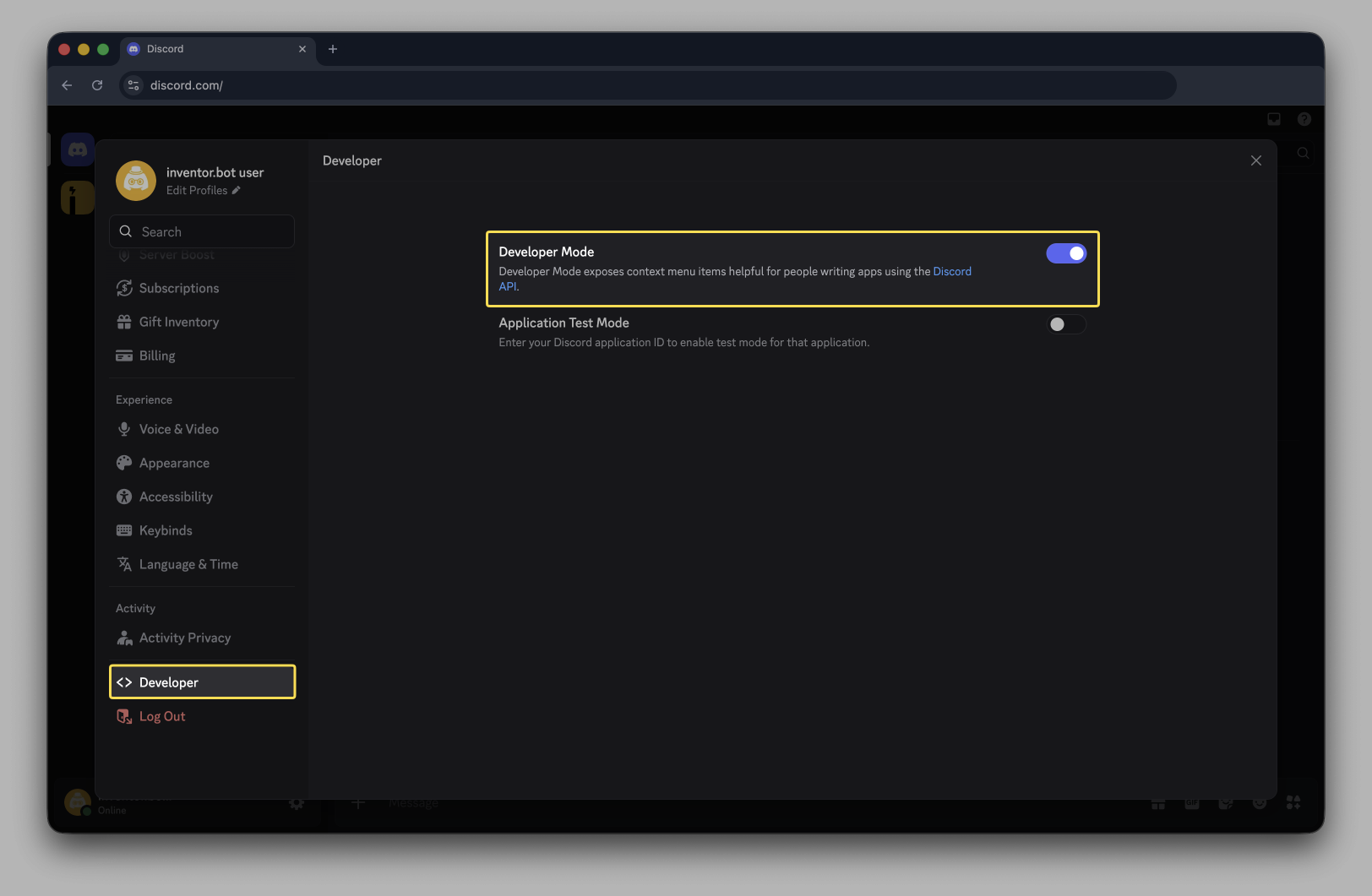
SCR 20260515 nxbb

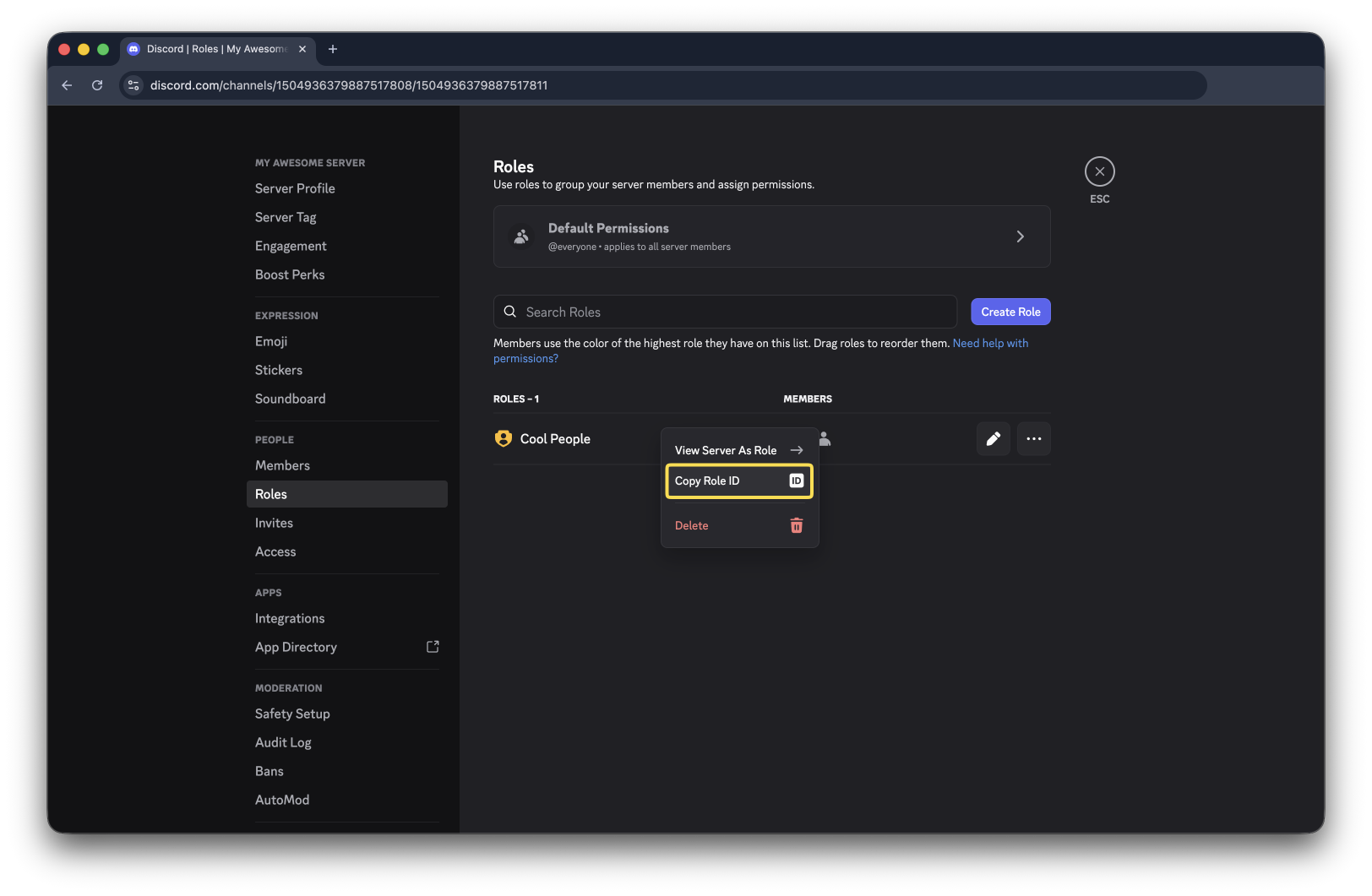
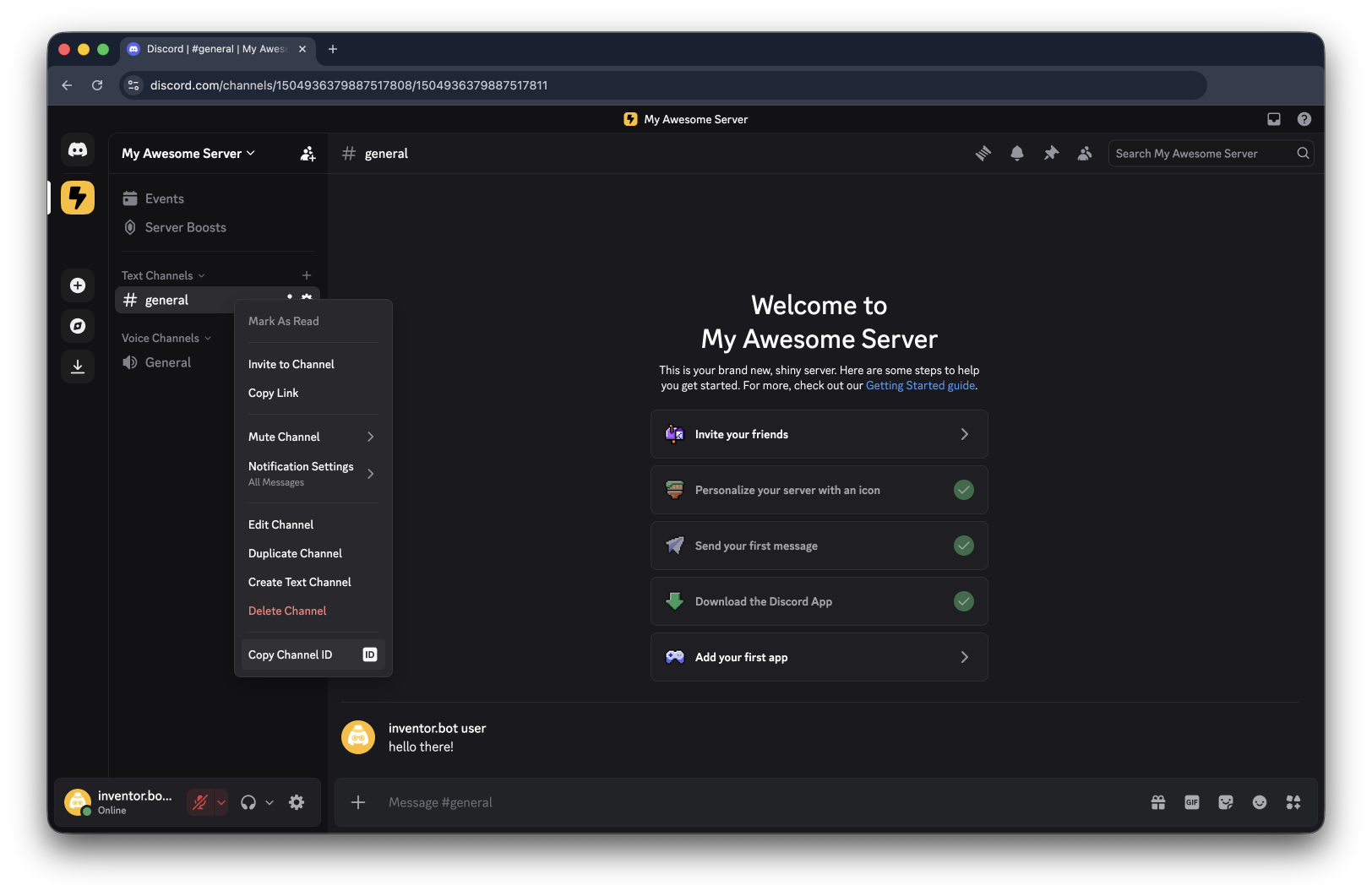
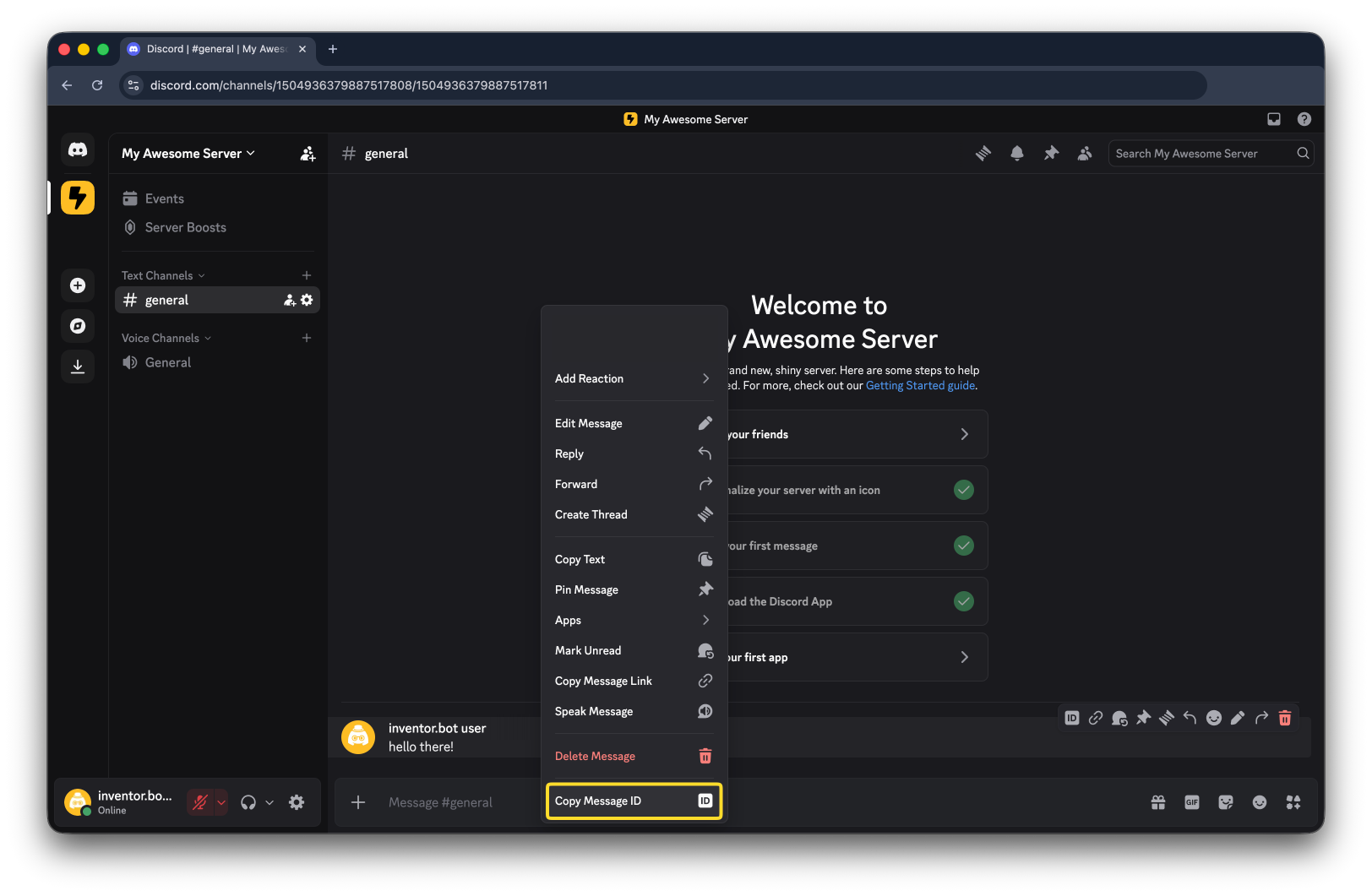
Now you can right-click anything to see its ID!

Users
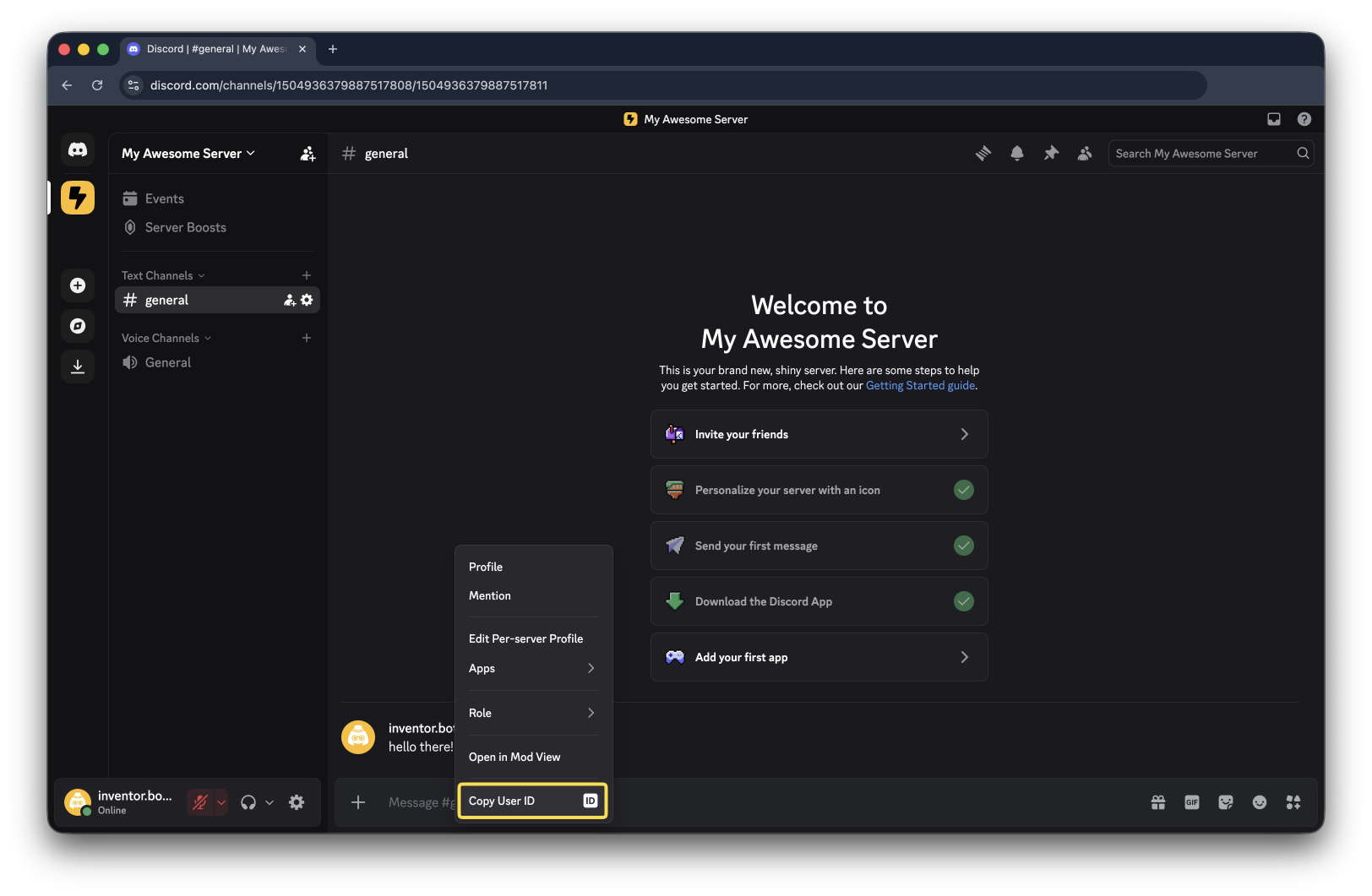
userid

Roles

roleid

Channels

channelid

Messages

messageid

inventor.bot logo inventor.bot

Build a custom Discord bot for free.

Product

  • Editor
  • Marketplace
  • Pricing

Resources

  • Docs
  • Blog
  • Status
  • Downloads
  • Dedicated

Community

  • Discord
  • Bluesky
  • X (Twitter)
  • YouTube

Legal

  • Terms of Service
  • Privacy Policy
  • Refund Policy
  • Report Abuse

© 2023-2026 inventor.bot. All rights reserved.

inventor.bot is an independent hosting provider and is not affiliated with Discord.

Discord is a trademark of Discord Inc. App Store and MacOS are trademarks of Apple Inc. Android and Google Play are trademarks of Google LLC. All other brand names, product names, or trademarks are the property of their respective owners.