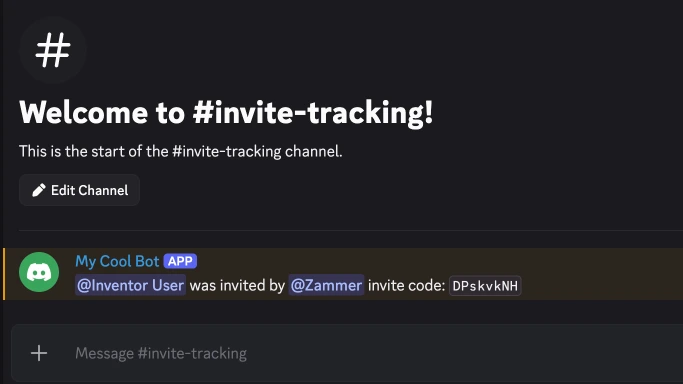
In this tutorial, you'll learn how to create a system to track who invited new members!
This tutorial assumes you know the basics of inventor.bot- we recommend doing the Ping Command tutorial if you haven't already.
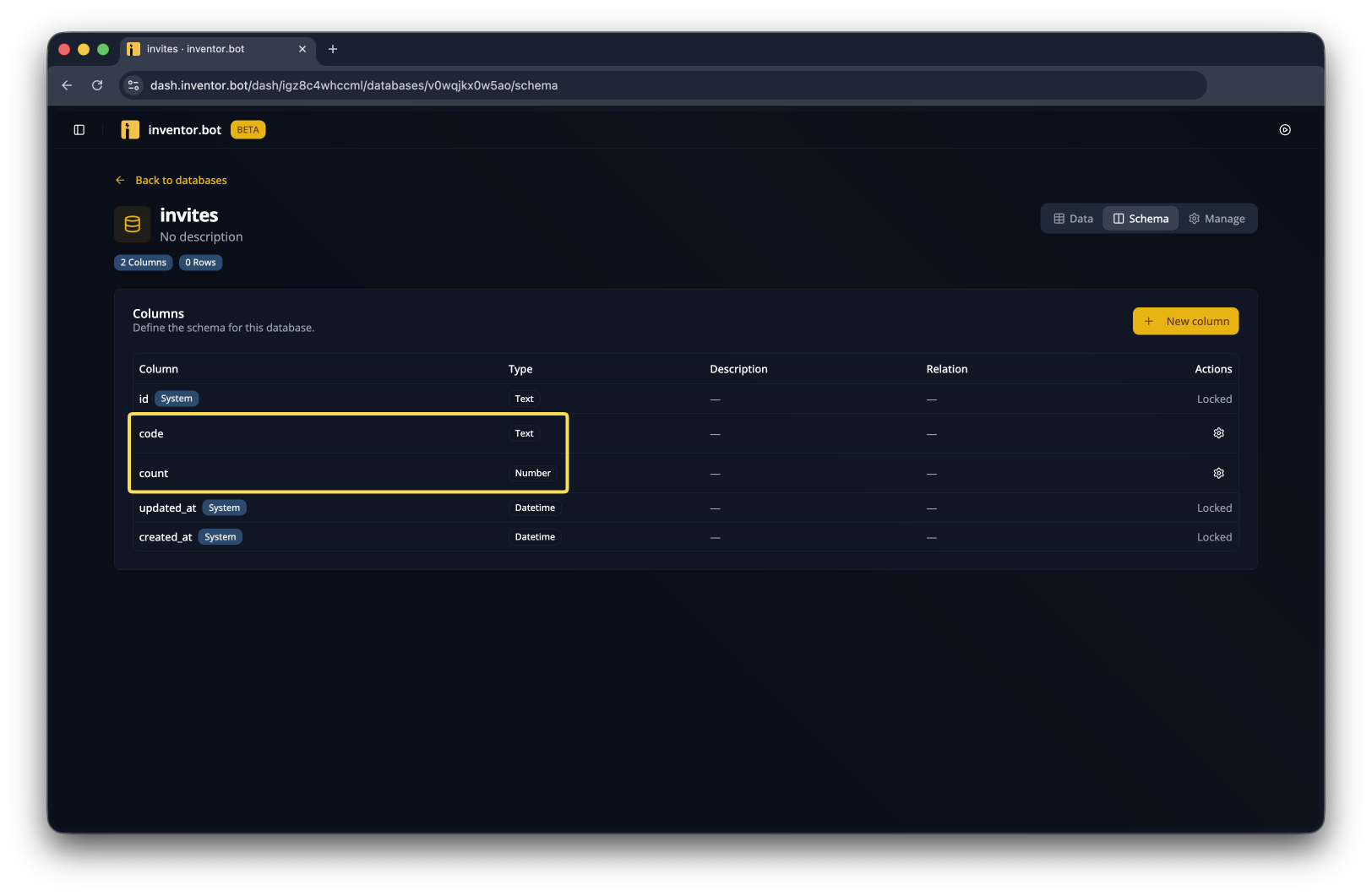
Create a new invites database with code and count columns
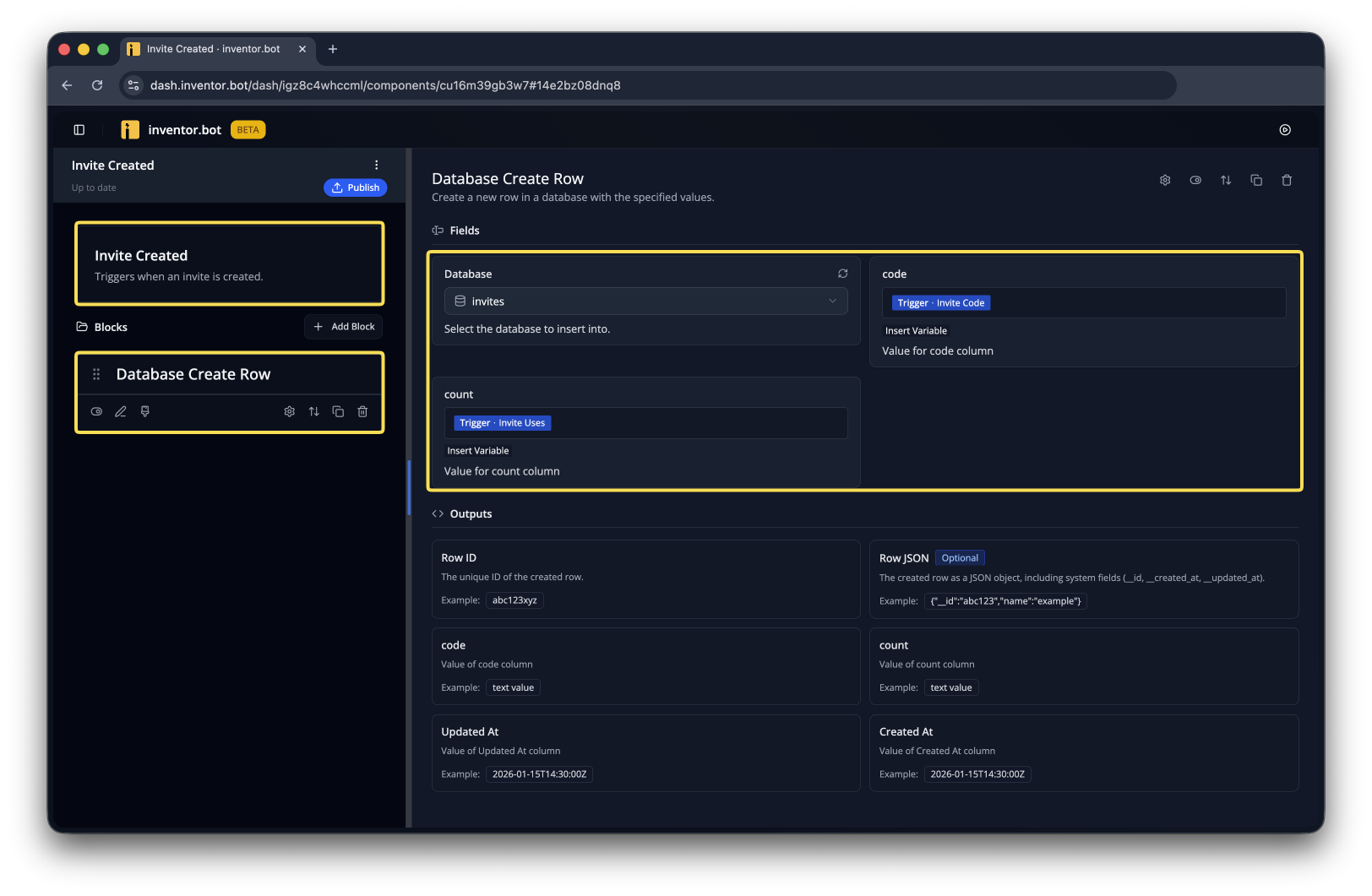
Make a new flow with the Invite Created trigger. Add a Database Create Row block that creates a row in the database with the outputs from the trigger.
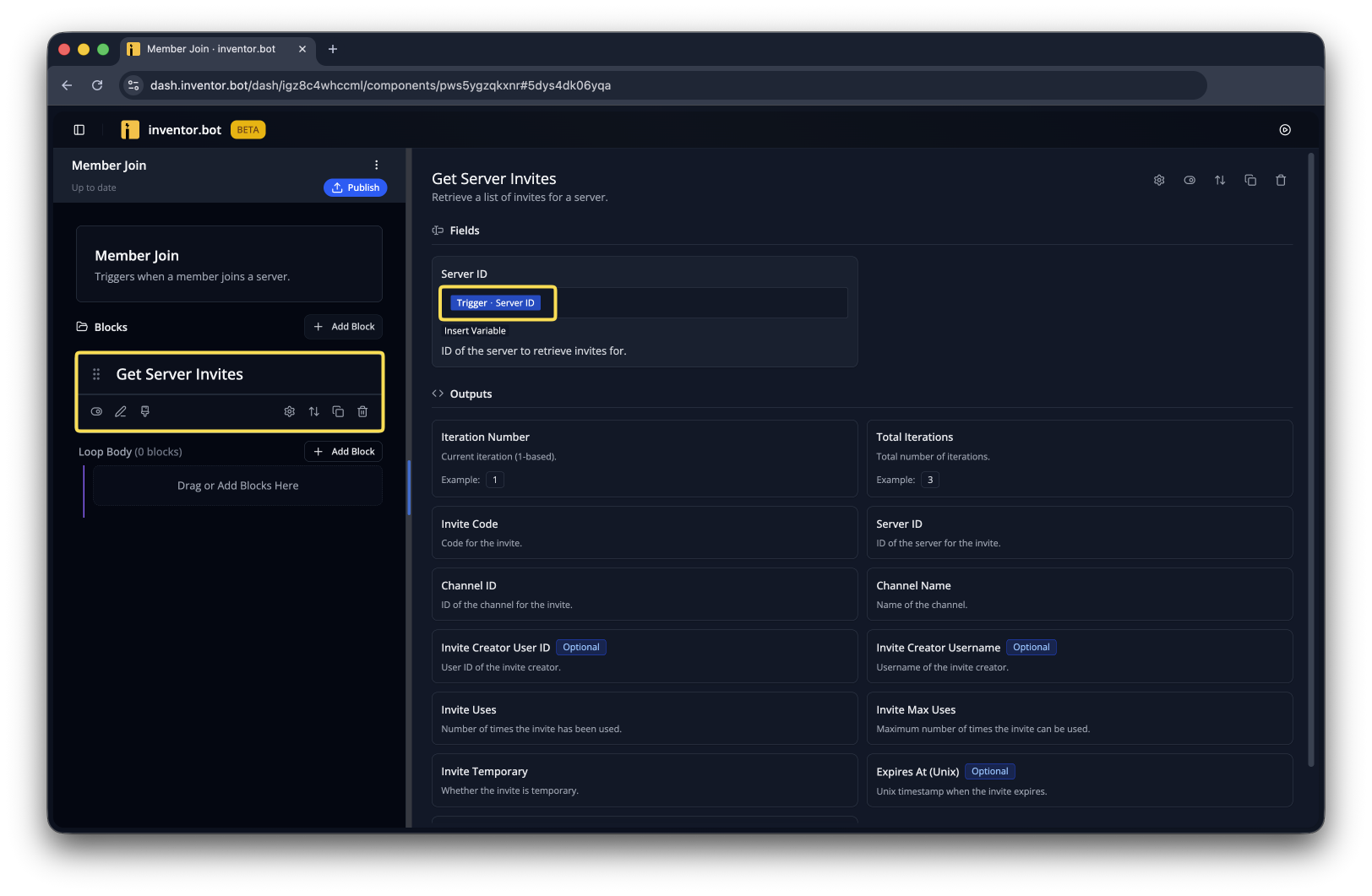
Create a new flow with the Member Join trigger and add the Get Server Invites block with the Server ID output from the trigger.
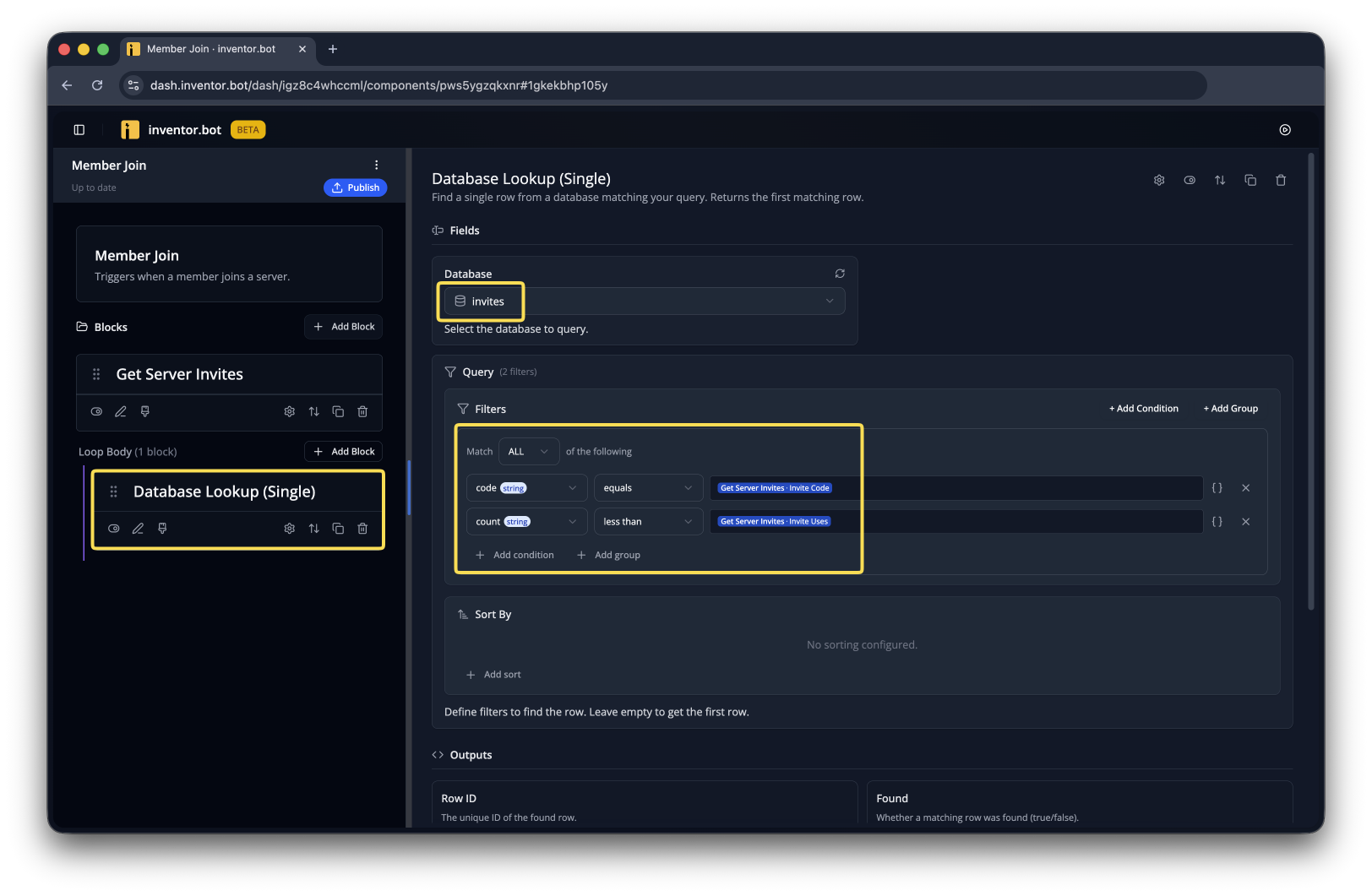
Add a Database Lookup (Single) with these filters
codeequals Get Server Invites - Invite Codecountless than Get Server Invites - Invite Uses
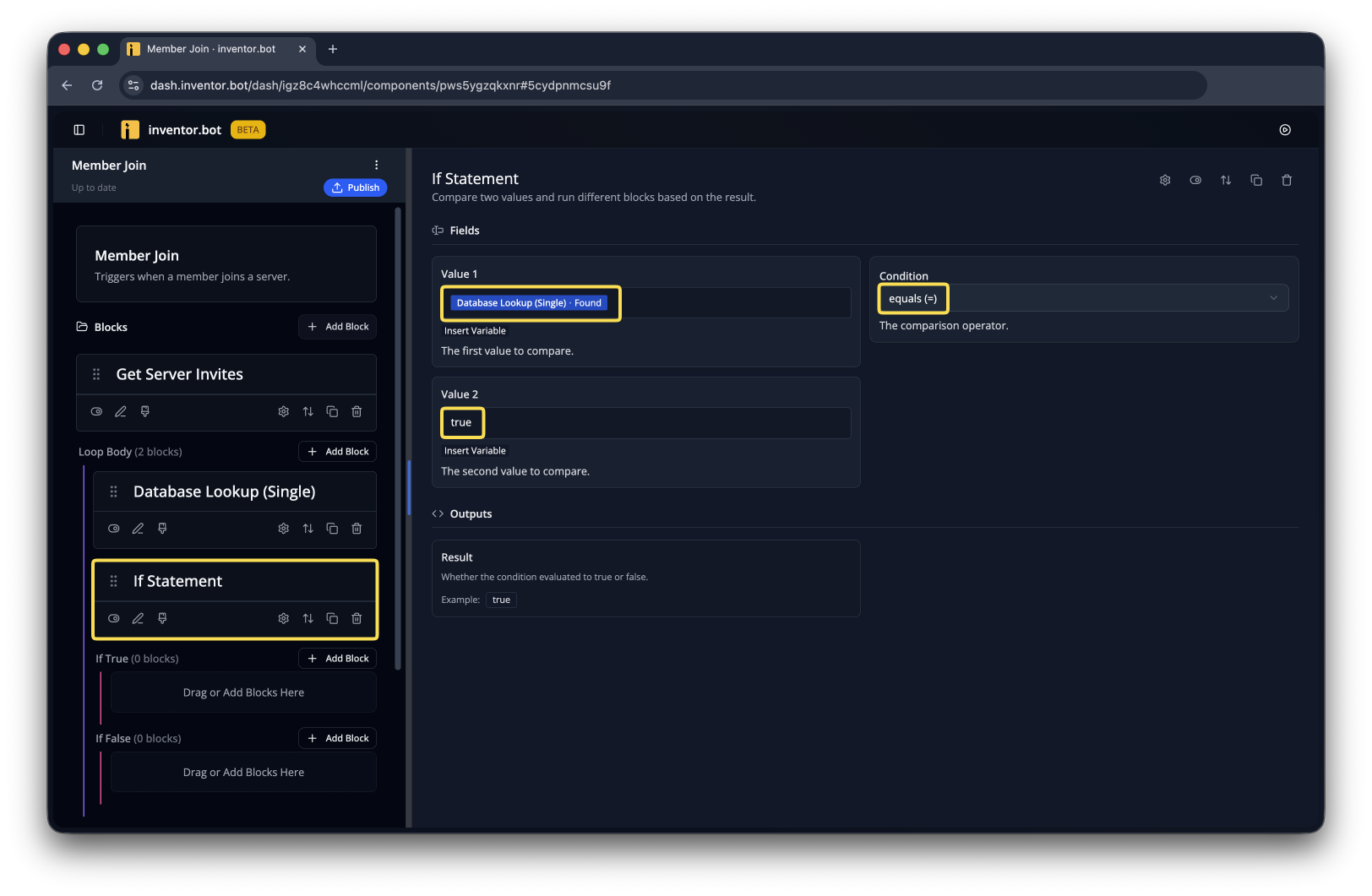
Add an If Statement and check if Database Lookup (Single) - Found is true.
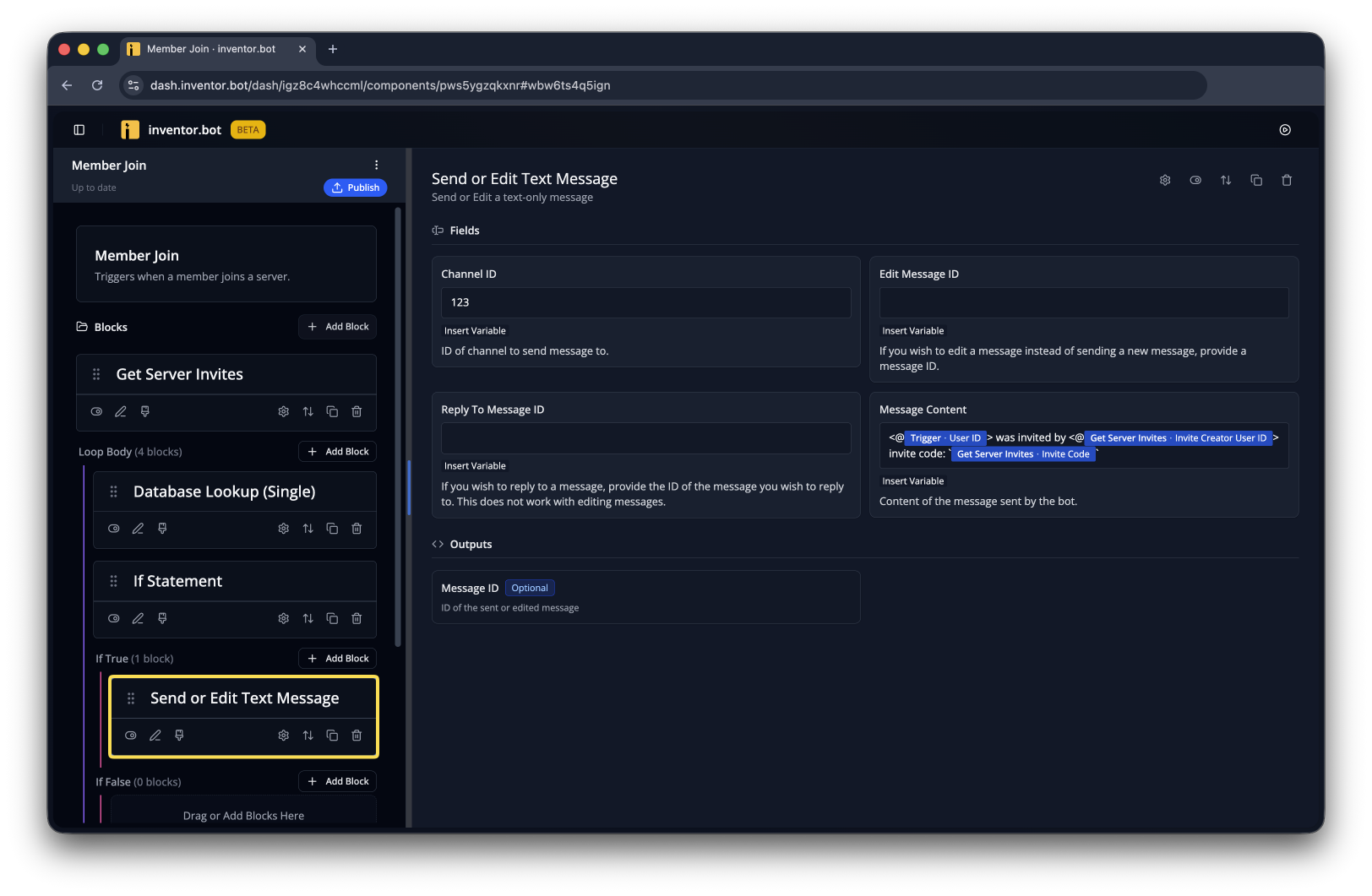
You can add anything you want inside this If Statement. In this example, we'll send a welcome message that includes info about who invited the new member using the Get Server Invites outputs, like Invite Code and Invite Creator User ID
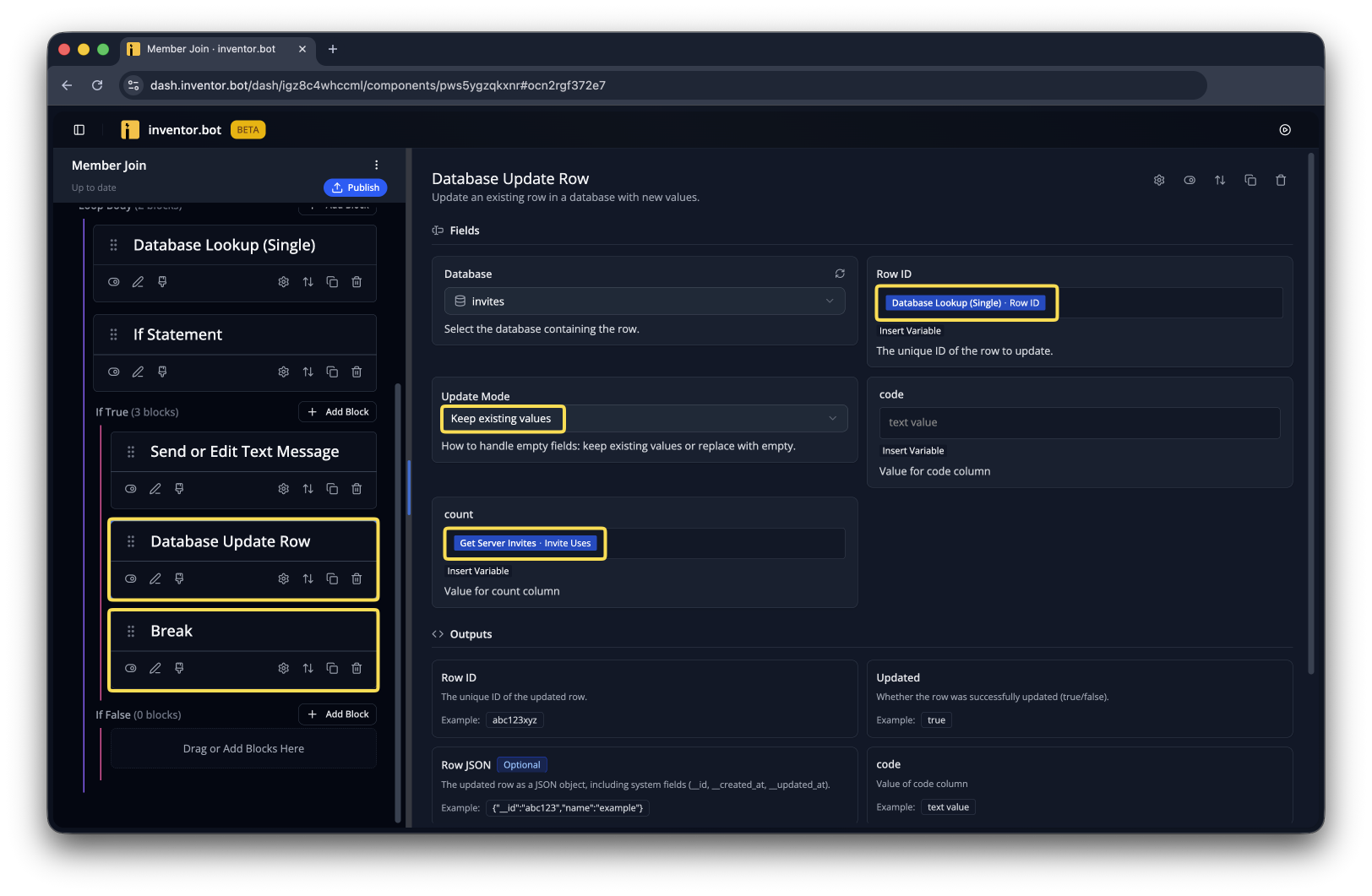
We also need to update the row using Database Update Row. Then we can stop looping over invites with Break.
Make sure both flows are published, then you can test it out!