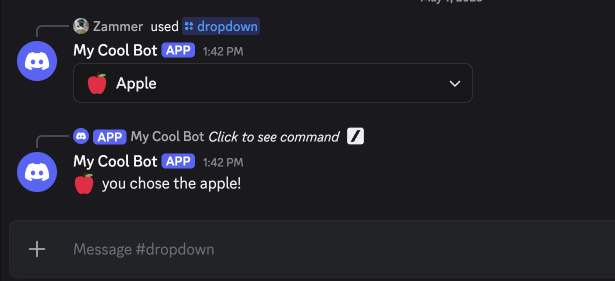
In this tutorial, you'll learn how to use dropdowns with inventor.bot.
This tutorial assumes you know the basics of inventor.bot- we recommend doing the Ping Command tutorial if you haven't already.
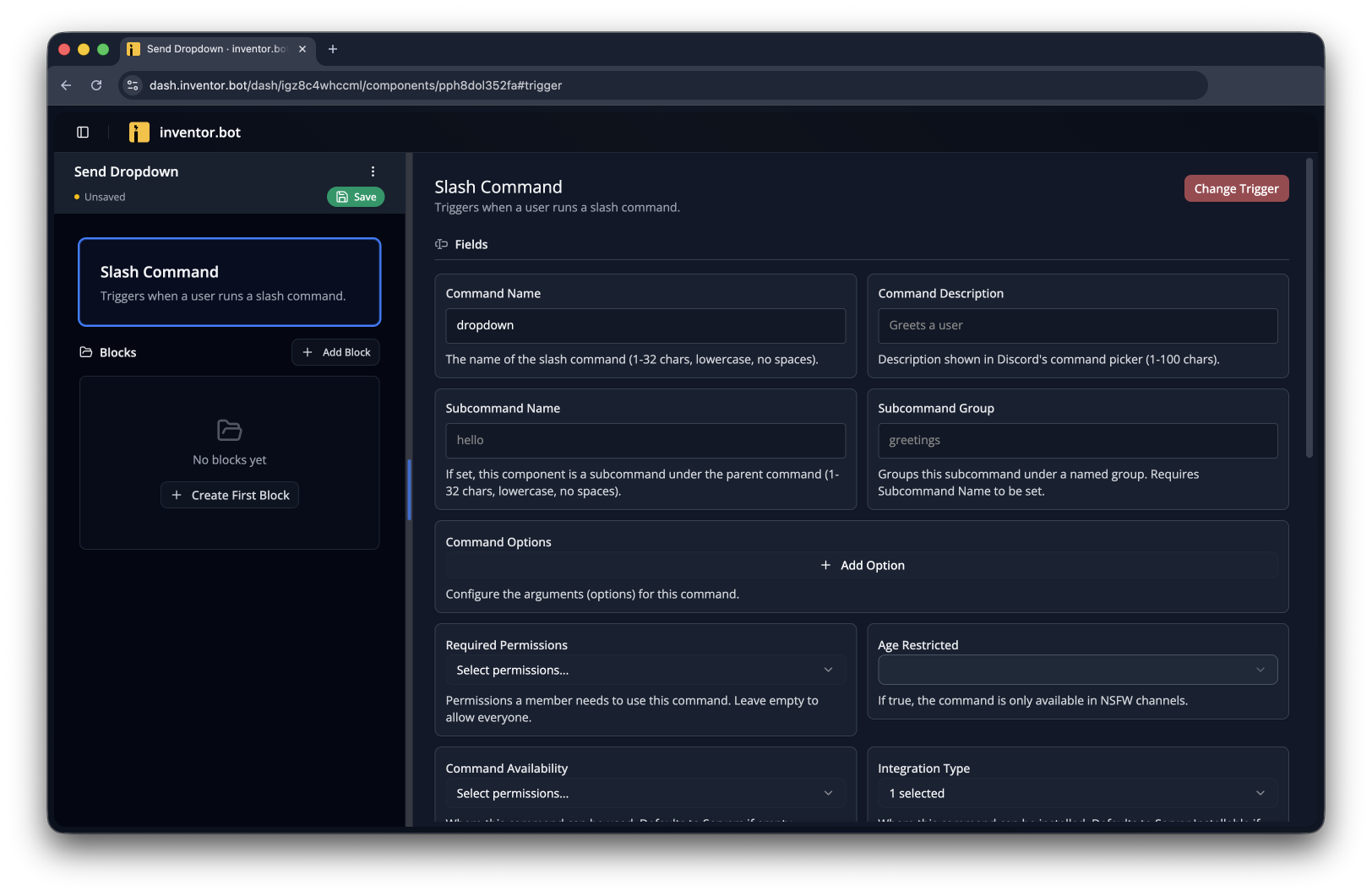
Start by creating a flow to send the dropdown. In this case, we'll use a Slash Command called /dropdown
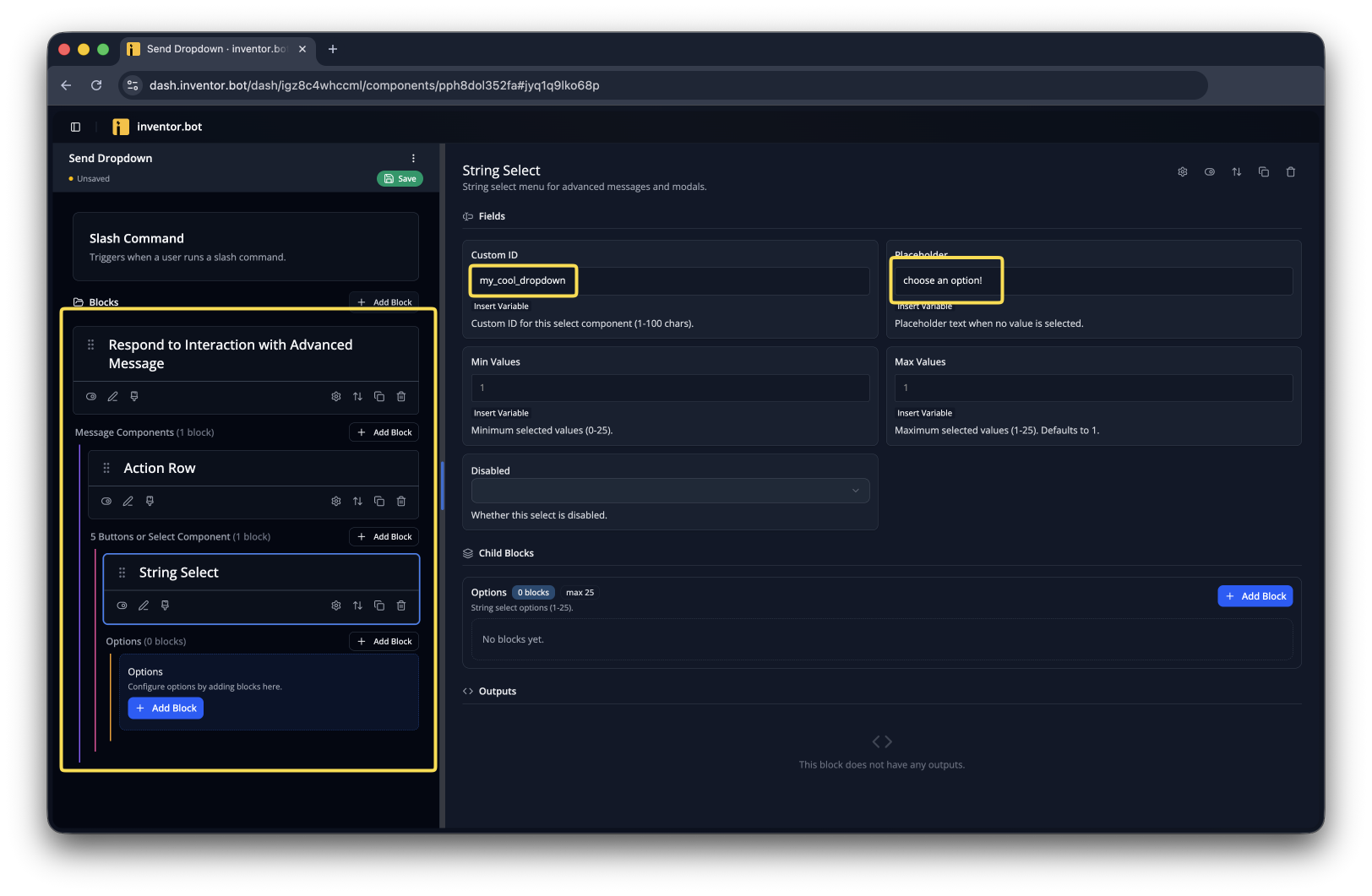
Now add a Respond to Interaction with Advanced Message block. Inside of that, add an Action Row with a String Select inside- give it a Custom ID and a placeholder. You'll need to use that same Custom ID later, so don't forget it!
If you used a non-interaction trigger, like Message Sent or Member Join, you'd need to replace the Respond to Interaction with Advanced Message block with a Send Advanced Message one.
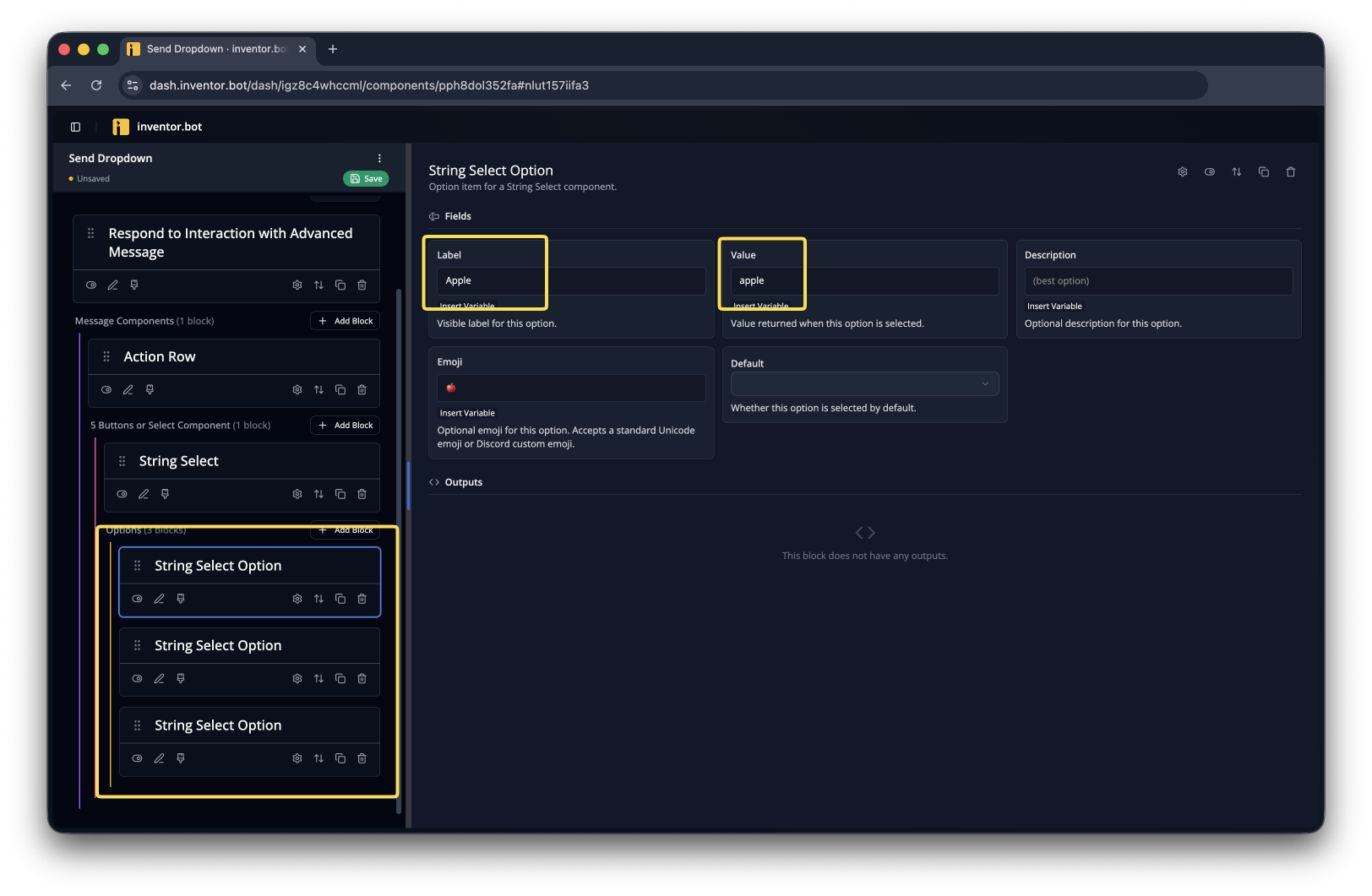
Now you can add a String Select Option block for each option you want to add to the menu. In this case, I'll add three fruits. Value should be a unique identifier for the option- it's the only thing you can use to figure out what was selected.
Create a new flow with the Dropdown Select trigger and input the Custom ID you used in the previous flow.
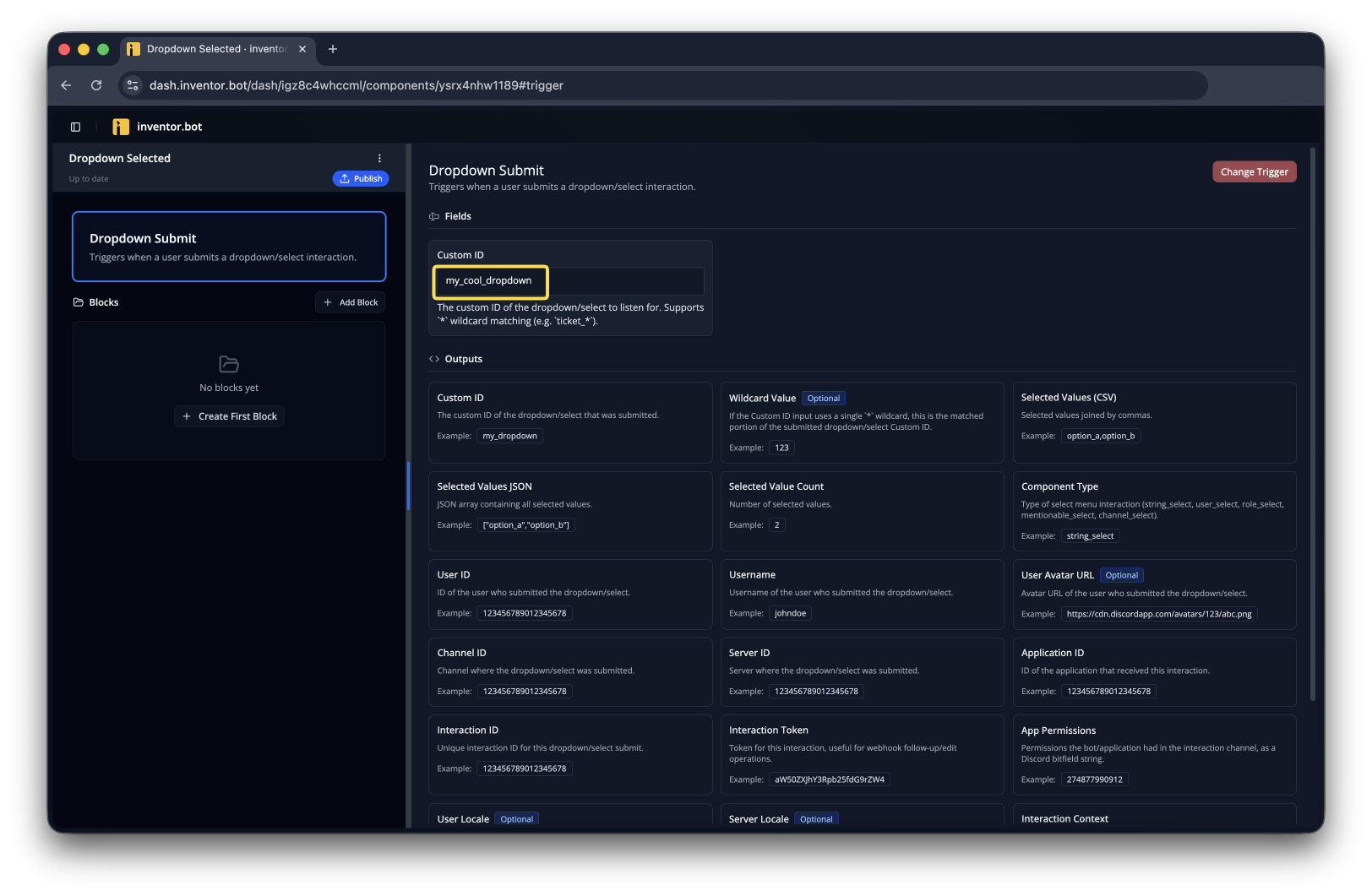
Now we need to figure out which option the user selected. To do this, we'll use the trigger's Selected Values (CSV) output. This will be the String Select Option's value you set earlier.
If the dropdown allowed for more than one item to be selected, the Selected Values (CSV) output would be formatted like
apple,pear,orange
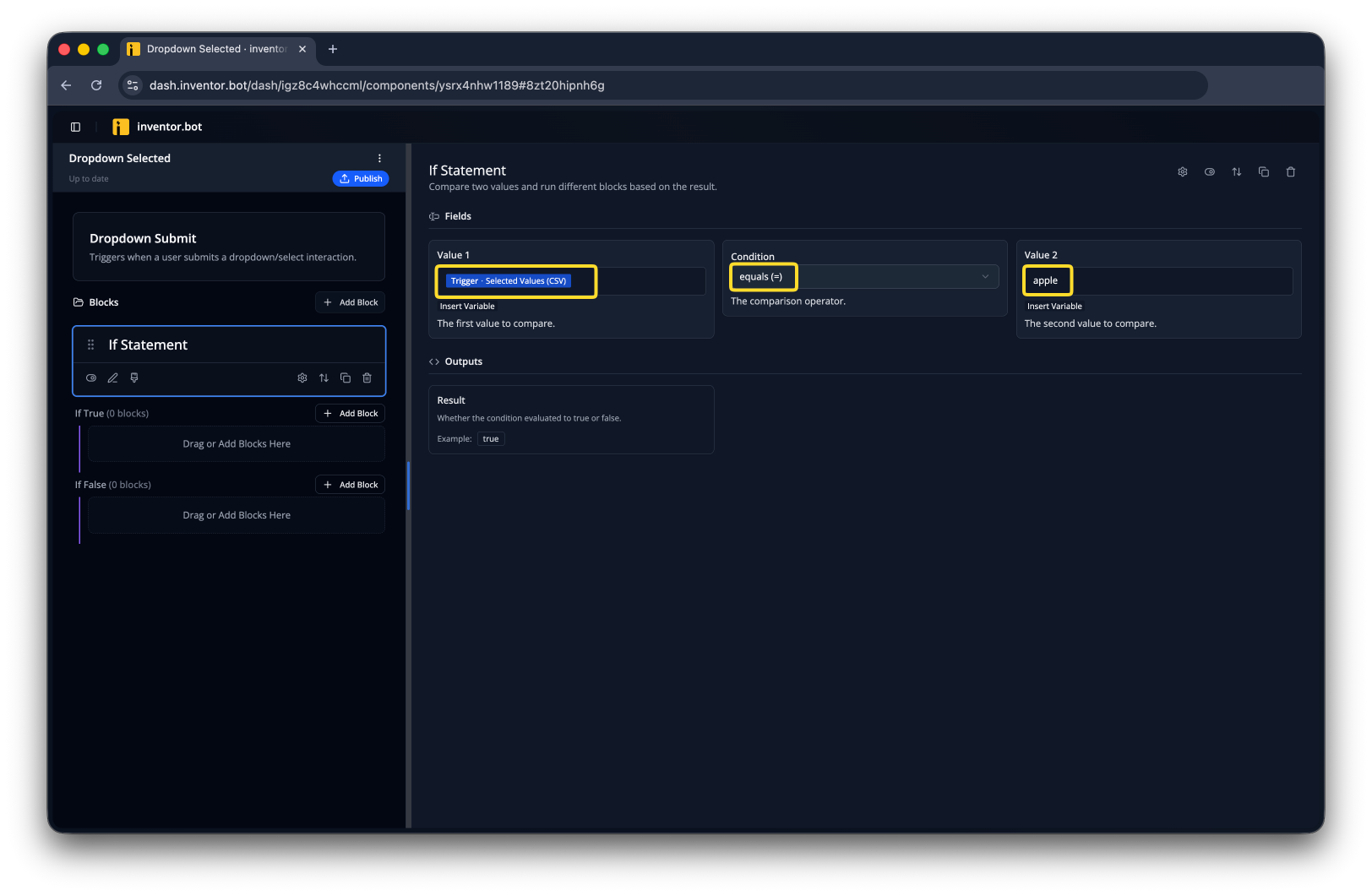
Add a response for this option and add similar if statements and responses for all the other options you added to the dropdown.
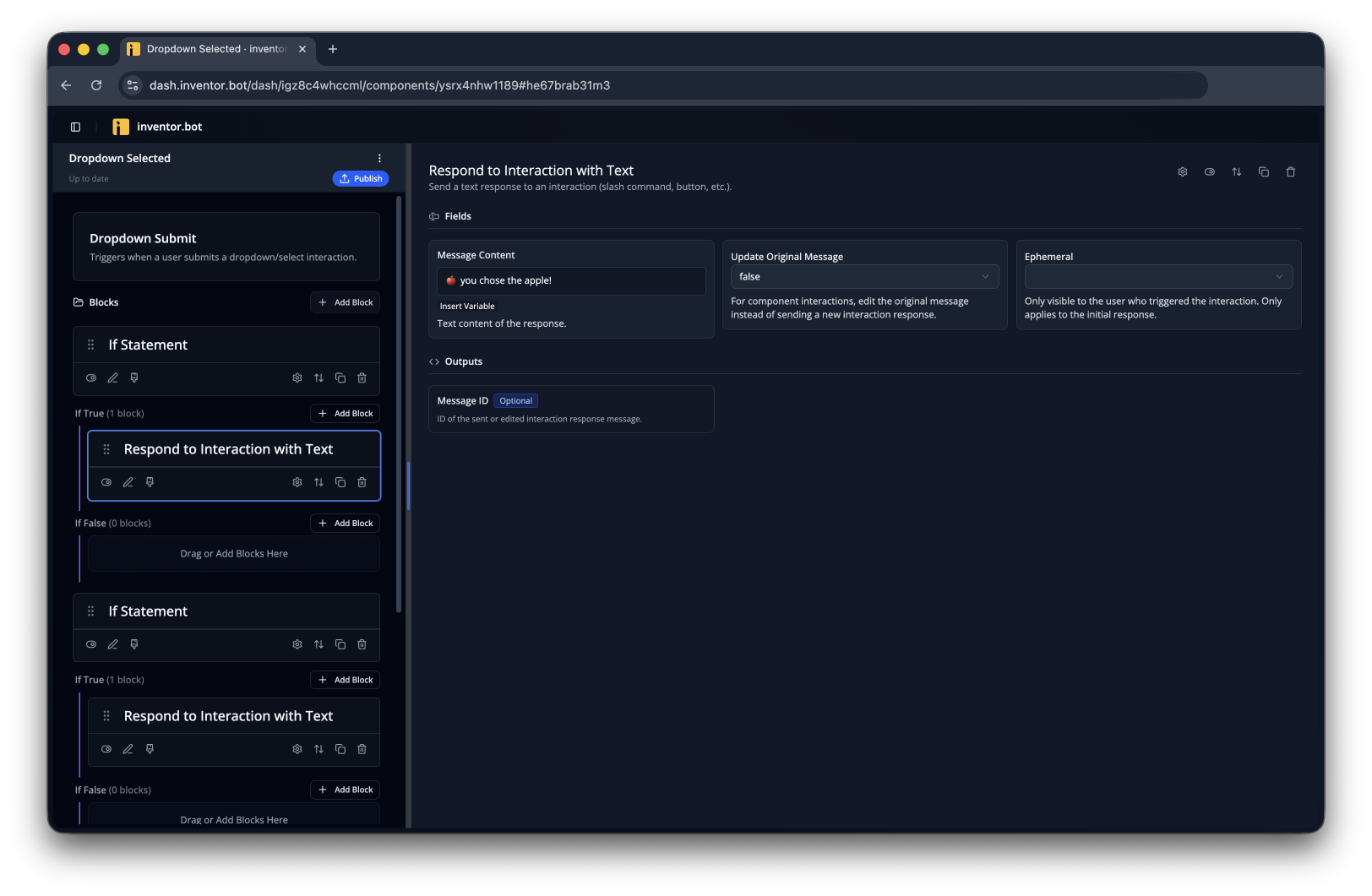
Now you can select an option and see the response you defined in the second flow!