

What does it mean?
This error appears when you try to install a Discord bot that has the "Requires OAuth2 Code Grant" option enabled, but the bot is not set up to use this feature (and likely doesn't need it).
When you first connect your bot, the invenor.bot dashboard will warn you if this option is enabled.
Why it happens
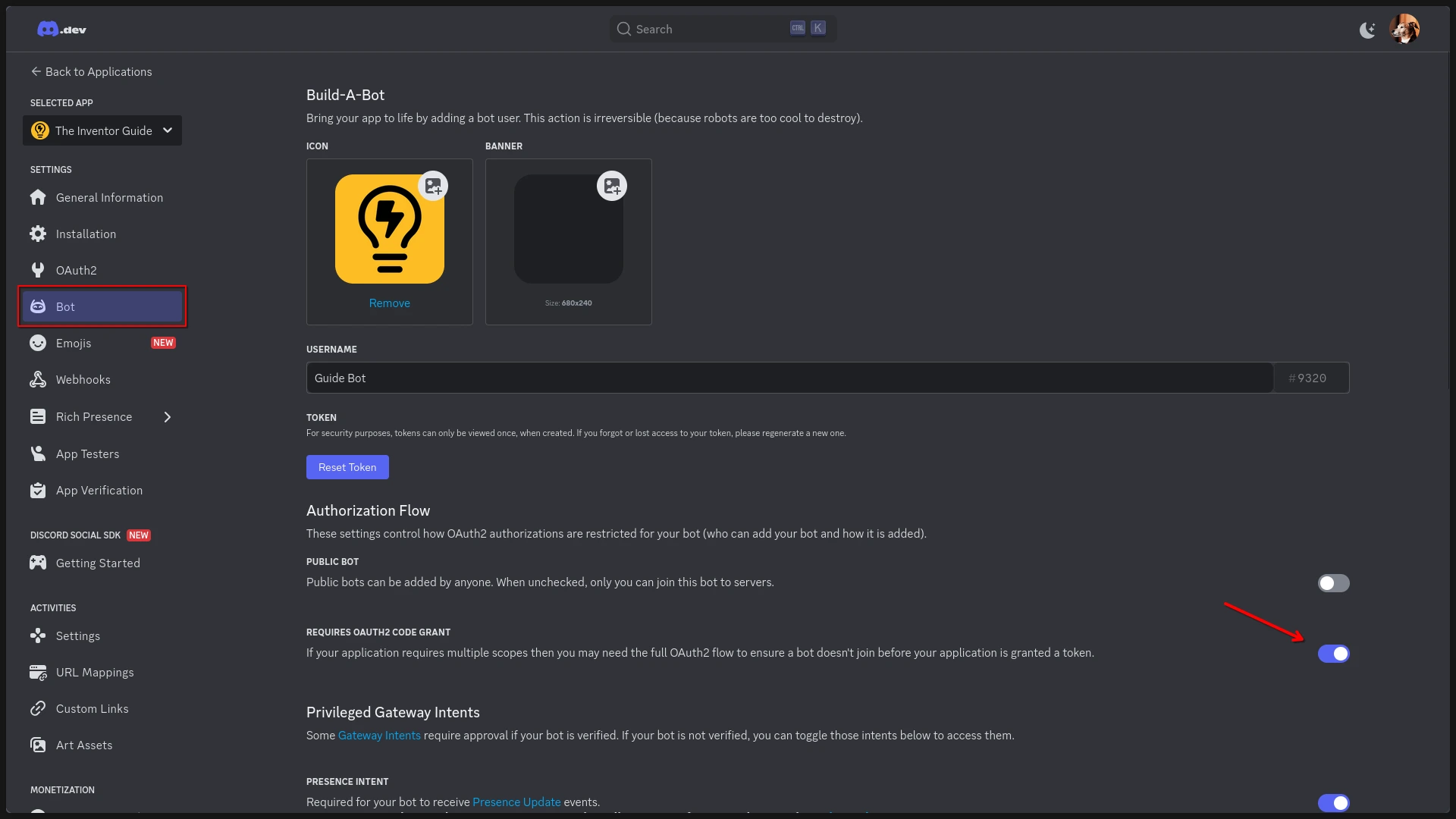
In the Discord Developer Portal, under the Bot section, there's an option called "Requires OAuth2 Code Grant". If this is enabled on a bot that isn't configured to use it, Discord will block the installation and show this error.
How to fix it
- Go to the Discord Developer Portal.
- Select the bot that's causing the issue.
- Click on the Bot tab.
- Disable (toggle) the "Requires OAuth2 Code Grant" option.
- Save your changes.
That's it!
This is a common mistake. Even experienced developers run into it. Fortunately, it's quick and easy to fix.