Discord's Integrations tab is a powerful and underutilized way to customize who can run commands- and where. You can use it to restrict access to commands for users, roles and channels.
Open up your server's settings and navigate to the Integrations tab.
At the top of the tab, you'll find options to manage webhooks, announcement channels from other servers that are followed in this server, and manage Discord's built-in Twitch and YouTube integrations.
Scroll down and choose a bot to edit the commands of.
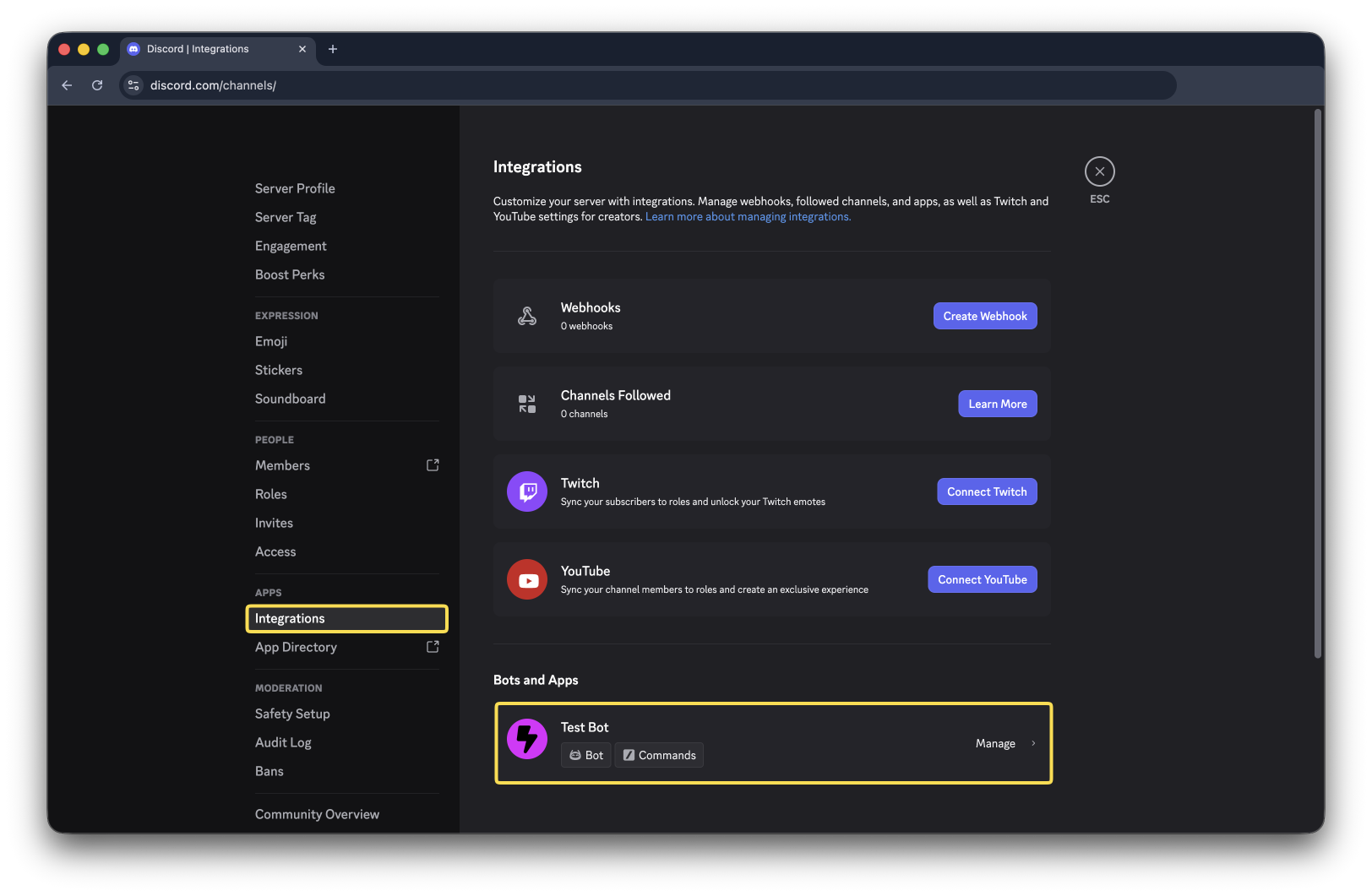
Now you'll see a page like this:
From here, you can manage all of the bot's commands (slash commands, user menu items, and message menu items)
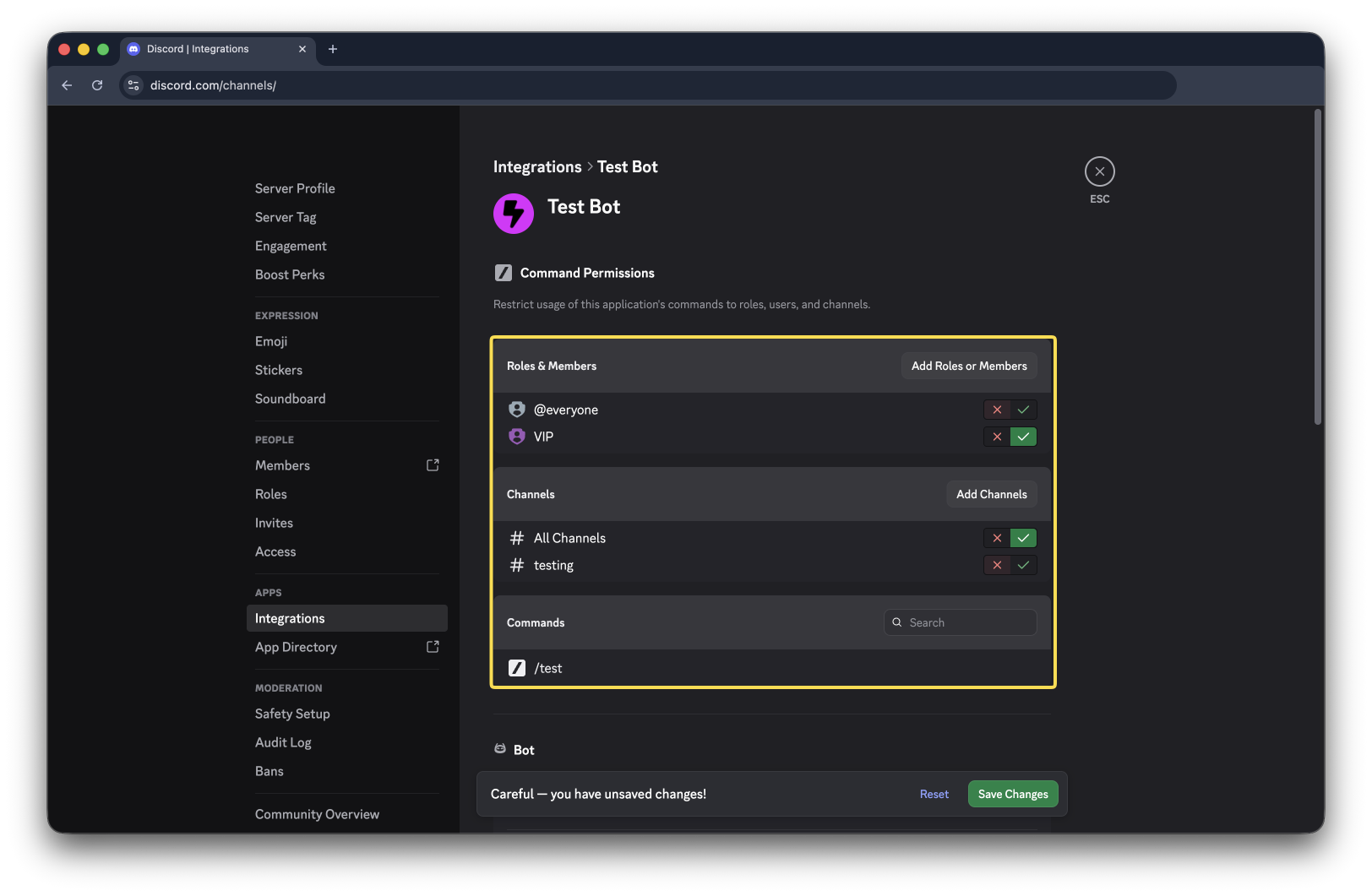
The settings in the top section will apply to all of that bot's commands- you can use it to easily restrict bots to certain users, roles, or channels.
Below that, you'll see a list of commands. Click on any command to add overrides for that specific command.
Now that you know how to use the Discord Integrations tab to modify a bot's commands, you can take your server to the next level!